Software Advice offers objective, independent research and verified user reviews. We may earn a referral fee when you visit a vendor through our links. Learn more
Our commitment
Independent research methodology
Software Advice’s researchers use a mix of verified reviews, independent research and objective methodologies to bring you selection and ranking information you can trust. While we may earn a referral fee when you visit a provider through our links or speak to an advisor, this has no influence on our research or methodology.
How Software Advice verifies reviews
Software Advice carefully verified over 2.5 million+ reviews to bring you authentic software and services experiences from real users. Our human moderators verify that reviewers are real people and that reviews are authentic. They use leading tech to analyze text quality and to detect plagiarism and generative AI.
How Software Advice ensures transparency
Software Advice lists all providers across its website—not just those that pay us—so that users can make informed purchase decisions. Software Advice is free for users. Software and service providers pay us for sponsored profiles to receive web traffic and sales opportunities. Sponsored profiles include a link-out icon that takes users to the provider’s website.

Acronis Cyber Backup

4.4
Overall rating
Reviews

4.4
Overall rating
Reviews

About Acronis Cyber Backup

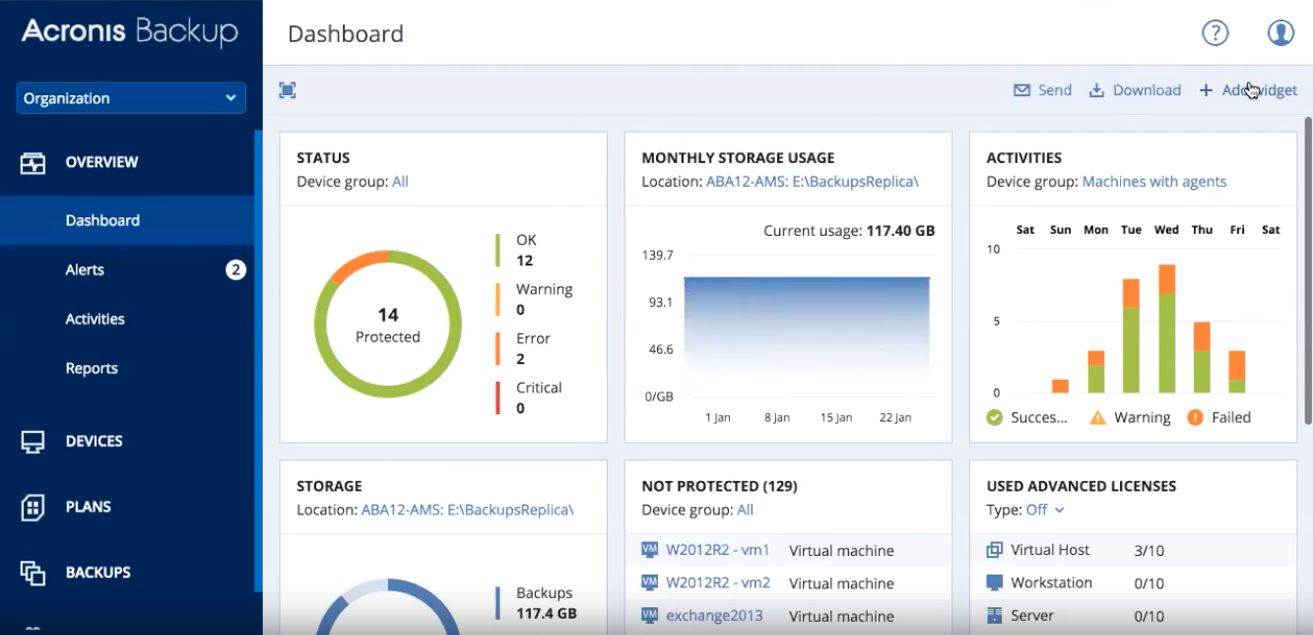
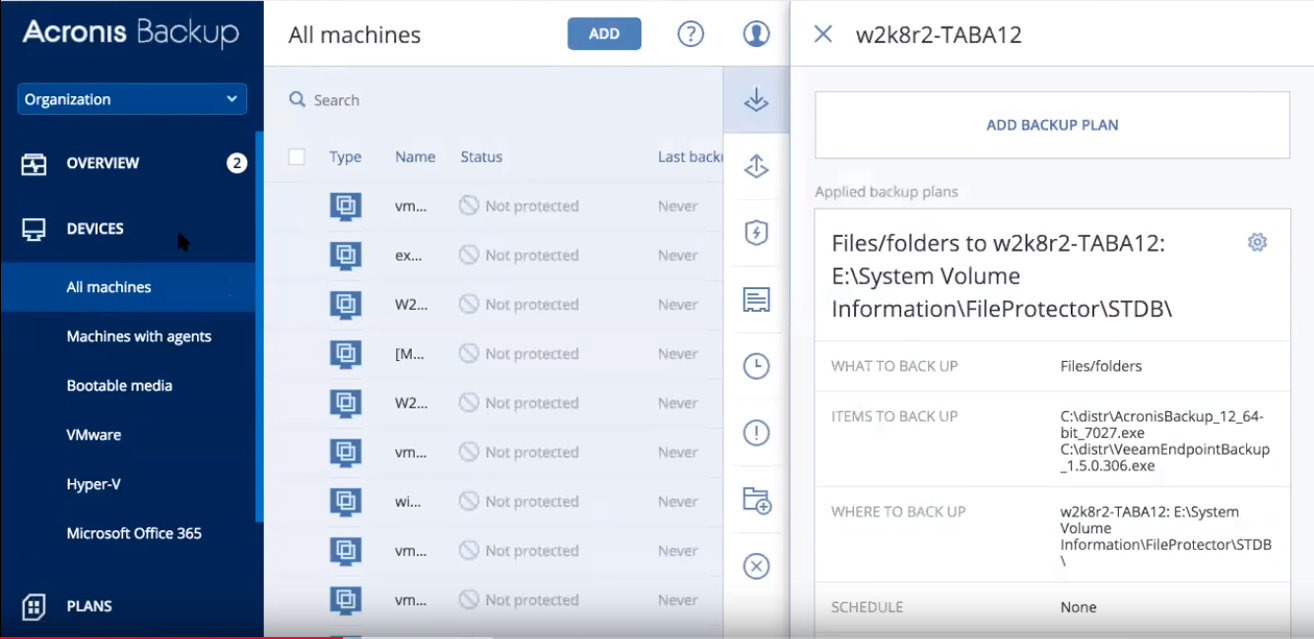
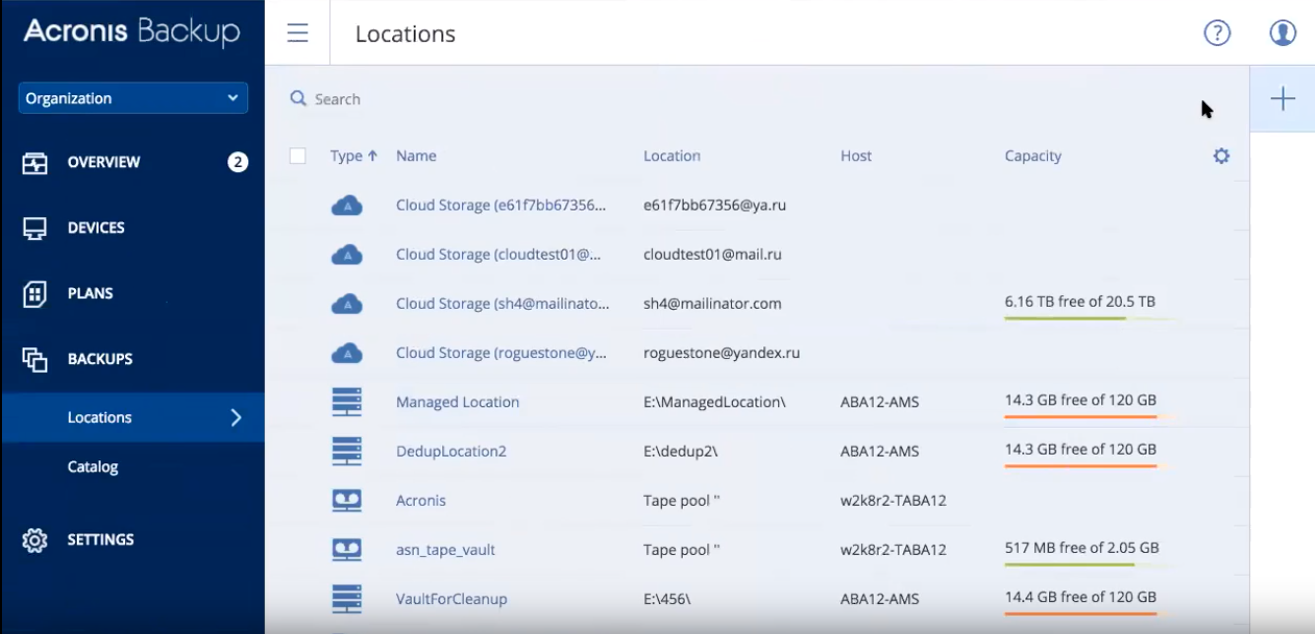
Acronis Cyber Backup Cloud is a cloud-based and on-premise data backup and MSP solution that provides data protection for businesses of all sizes. Acronis Cyber Backup offers complete business protection and fast data recovery to make sure that your business is protected from any cyber attack and any operational and production downtime. This solution is available in 2 packages, Standard and Advanced, to suit any business needs. With Acronis CB, IT professionals are able to manage any user device through a centralized web console, minimizing recovery time objectives (RTO). On top of this, tasks and issues can quickly be resolved with customizable dashboards and device information. For business protection, Acronis Cyber Backup Cloud offers disk-imaging backup for a business entire system including cloud workloads from Office 365 , Microsoft Azure and Amazon EC2. IT professionals can store all of these backups to different devices such as local disks, network disks, or Acronis Cloud storage. With Acronis Universal Restore, IT professionals are able to recover any of these backups to Windows and Linux systems and provide recovery options such as virtual, bare-metal and cloud recovery.
Acronis Cyber Backup Software - Acronic Cyber Backup Cloud Dashboard
Acronis Cyber Backup Software - Acronis Cyber Backup Cloud Device Management
Acronis Cyber Backup Software - Acronis Cyber Backup Cloud Backups Dashboard
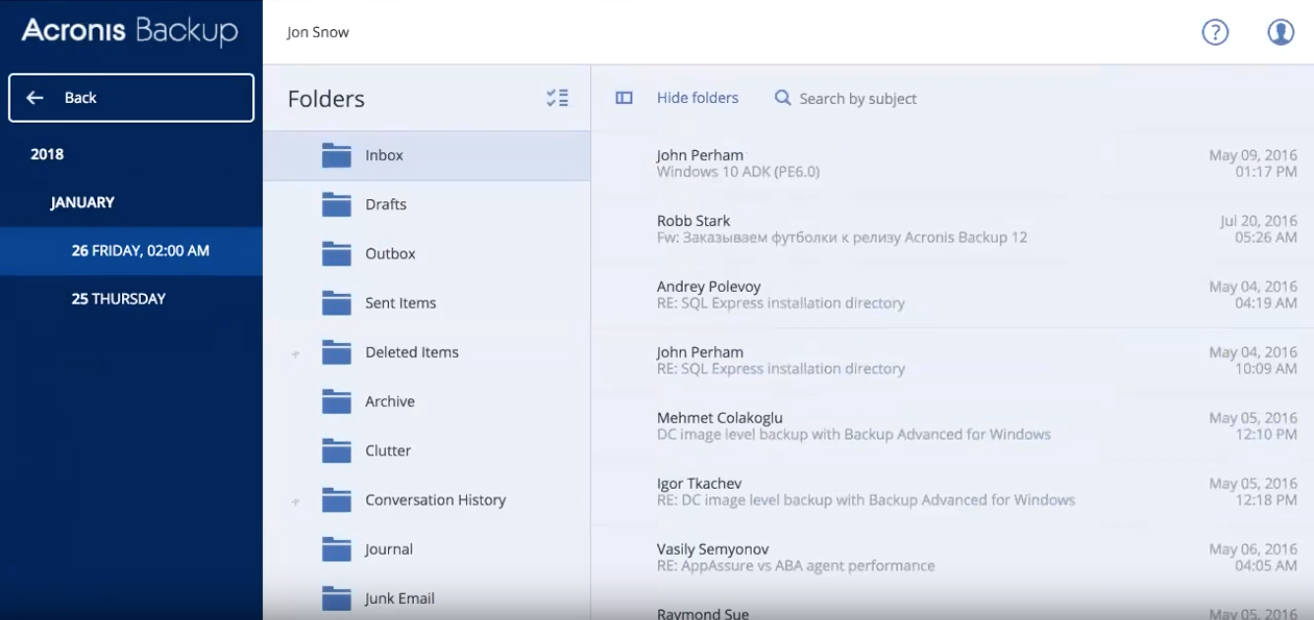
Acronis Cyber Backup Software - Acronis Cyber Backup Cloud Backup Data
Acronis Cyber Backup video
Acronis Cyber Backup Software - Acronic Cyber Backup Cloud Dashboard - thumbnail
Acronis Cyber Backup Software - Acronis Cyber Backup Cloud Device Management - thumbnail
Acronis Cyber Backup Software - Acronis Cyber Backup Cloud Backups Dashboard - thumbnail
Acronis Cyber Backup Software - Acronis Cyber Backup Cloud Backup Data - thumbnail

Acronis Cyber Backup pricing

Acronis Cyber Backup does not have a free version but does offer a free trial.

Starting Price:
Not provided by vendor Show more details
Free Version:
No
Free trial:
Yes

Alternatives to Acronis Cyber Backup

IDrive

4.6 (1200 Reviews)
IDrive helps businesses of all sizes manage automated data backup processes across various devices such as Windows,...


Salesforce Backup

4.8 (80 Reviews)
Salesforce Backup is a SaaS-based platform that helps backup all Salesforce data such as metadata, chatter feeds,...

NAKIVO Backup & Replication

4.8 (454 Reviews)
NAKIVO Backup & Replication is a backup, ransomware protection, and site recovery solution for virtual, physical,...

Cove Data Protection

4.7 (216 Reviews)
Cove Data Protection is a cloud-based backup and disaster recovery solution designed to protect servers, workstations,...

SqlBak

4.9 (42 Reviews)
Use SqlBak to backup, restore and monitor MSSQL Server, MySQL Server, PostgreSQL Server, Azure SQL and Amazon RDS...

GitProtect

4.7 (115 Reviews)
GitProtectio is a comprehensive DevOps backup solution that ensures the safety and recoverability of your code...

MSP360 Backup

4.6 (245 Reviews)
MSP360 Managed Backup is a centralized, multi-platform backup solution for MSPs. It offers automated backups, compliance...

Vinchin Backup & Recovery

4.7 (141 Reviews)
Vinchin Backup & Recovery is an enterprise level data protection solution that provides comprehensive, cost-optimize...

Microsoft 365 Backup

4.7 (94 Reviews)
With over 20,000 customers, CloudAlly provides an enterprise-grade SaaS backup and point-in-time recovery solution for...

Browse Acronis Cyber Backup Reviews

212 of 212 reviews
Sort by:
Enrique
Enrique Show more details
  • Industry: Information Technology & Services
  • Company size: 2–10 Employees
  • Used Weekly for 2+ years
  • Review Source Show more details
Value for Money
3
Features
4
Ease of Use
4
Customer Support
0

4.0
Reviewed on 23/9/2022

After many years they have finally achieved a good product

In general, after spending a few years in which I had it crossed off my list, it is the one that I like the most at the moment.
It is very rare that a backup fails and the ability to configure them is one of the most extensive.
The protection against ransomware did give me some problems and I disabled that functionality.

Pros

It's easy to set up, even for people with no computer skills. It is fast in the copies and in the upload to the cloud. You can make images of all the disks you want, as well as highly configurable backups.
They have fixed most of the bugs they had before, I stopped using it for 3 years.

Cons

The price, for personal use I have had to do without it and change software

Alternatives Considered

EaseUS Todo Backup

Reasons for Choosing Acronis Cyber Backup

Just for the price

Switched From

IDrive
Nebojsa
  • Industry: Education Management
  • Company size: 51–200 Employees
  • Used Daily for 2+ years
  • Review Source Show more details
Value for Money
5
Features
5
Ease of Use
5
Customer Support
5

5.0
Reviewed on 23/12/2020

Acronis Backup Solution

Backing up files , databases and the vms has never been easier. The mulitple functionalities show great value for money.

Pros

Acronis Cyber backup has easy initial setup and many agents for integrating various platforms and operating systems. It can backup files, databases and the entire virtual machines.

Cons

The cloud backup feature is limited to Acronis Cloud, and if would be nice to see other Cloud providers platforms , be available to use.

Alternatives Considered

VM Backup

Reasons for Switching to Acronis Cyber Backup

This software shown us a great confidence as a backup solution.
Elan
  • Industry: Law Practice
  • Company size: Self Employed
  • Used Daily for 2+ years
  • Review Source Show more details
Value for Money
5
Features
5
Ease of Use
5
Customer Support
5

5.0
Reviewed on 24/9/2019

Acronis - Great Local Backup

For backing up my local drives while offering Ransomware protection, my experience with Acronis has been great.

Pros

The GUI and various options are easy to figure out and configure. There are many different backup options, and the on-board Ransomware protection is a plus.

Cons

The software does crash on a somewhat regular basis and appears at times to be a memory hog. However, most of the time it works just fine.

Nitesh
Nitesh Show more details
  • Industry: Information Technology & Services
  • Company size: 11–50 Employees
  • Used Daily for 2+ years
  • Review Source Show more details
Value for Money
5
Features
5
Ease of Use
5
Customer Support
5

5.0
Reviewed on 18/3/2023

The best backup and data protection service

My overall experience with Acronis Cyber Backup has been excellent. It not only provides data protection for my customers' data but also helps me to grow my revenue.

Pros

The most useful features of Acronis Cyber Backup are the backup itself along with the security features like malware protection, ransomware protection and vulnerability assessment.

Cons

There is hardly anything to dislike about Acronis Cyber Backup. In fact, they frequently roll out features that resolve any limitations they may have.

Alternatives Considered

Veeam Data Platform
Aris
Aris Show more details
  • Industry: Consumer Services
  • Company size: 2–10 Employees
  • Used Daily for 6-12 months
  • Review Source Show more details
Value for Money
5
Features
5
Ease of Use
5
Customer Support
5

5.0
Reviewed on 12/1/2021

Acronis Cyber Backup for a safer company

We are keeping our systems secure, up-to-date and backed-up in multiple locations and solving customer problems restoring their systems on different hardware as per their requests.

Pros

We use Acronis Backup on our company's computers mostly to protect our systems from ransomware, because backup is not enough anymore. If the computer gets infected with ransomware the backup files will be uploaded encrypted too. That's why we prefer Acronis Backup because it has ransomware defender. One useful feature that we use very often with our customers is Acronis Universal Restore because it allows to restore a system to dissimilar hardware, which is a feature that many customers with custom systems cannot setup the OS from the beginning in case of computer upgrade or computer failure.

Cons

It may be slower in older computers. Other than that Acronis Backup is perfect, it offers security features that cover modern requirements and technologies.

Related categories

powered by